Employee Onboarding Software for Security Companies | Canticle Technologies
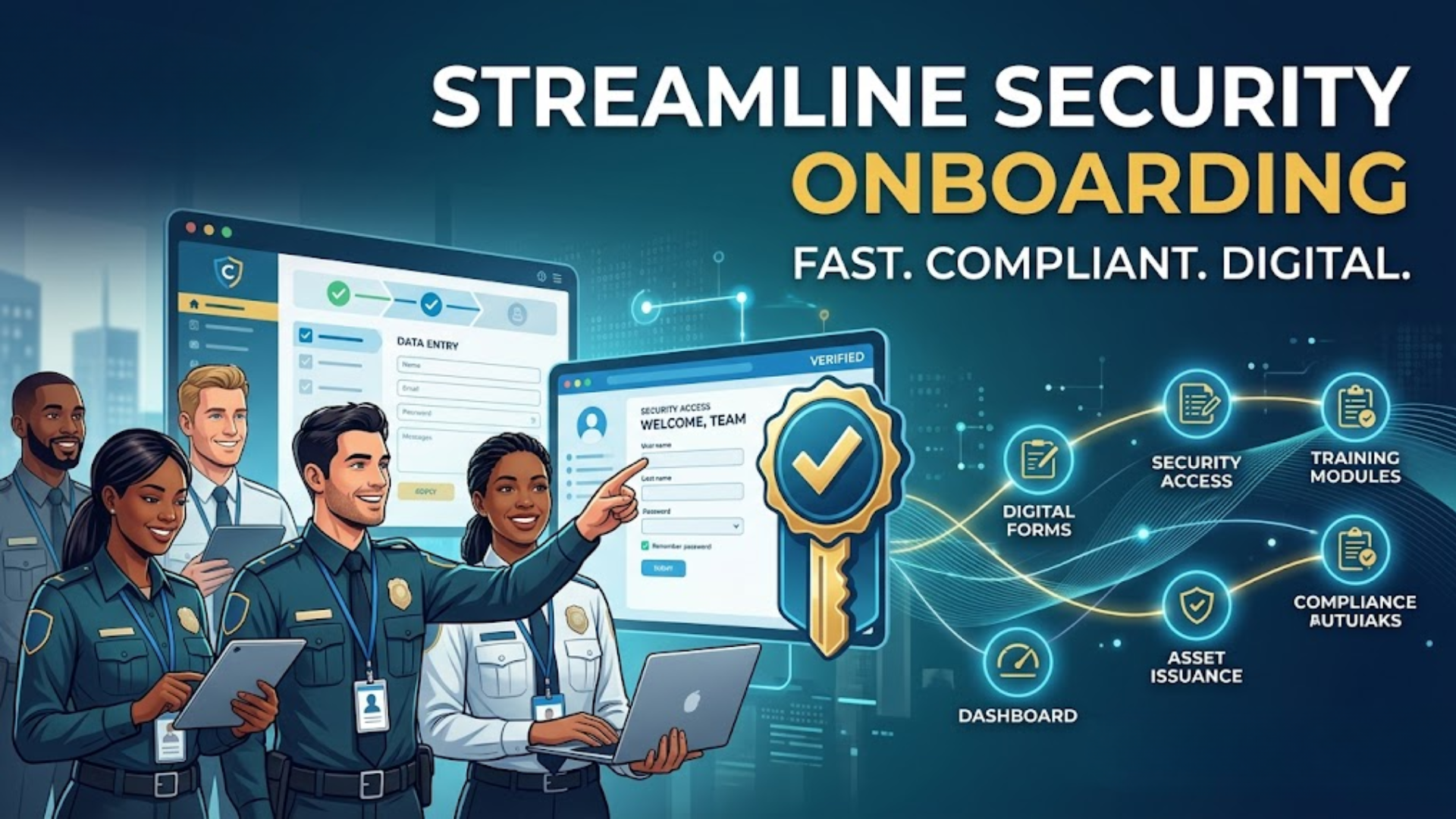
Employee Onboarding Software for Security Companies: From Candidate to Deployment-Ready in Hours
Security agencies in India do not have a hiring problem. They have an onboarding problem.
The hiring happens fast — a client needs ten guards at a new site by Monday, so the agency recruits quickly. But what happens next is where the process breaks down. Physical forms to fill. Documents to collect at the branch. Offer letters to draft manually. ID cards to create through a separate tool or send to a printer. Records to enter into spreadsheets. The same information gets written down, typed in, and re-entered across three different places before the guard is finally operational.
For a company onboarding 30 to 100 guards every month — which is routine for any growing security agency — this manual cycle consumes days of HR time, creates compliance gaps, and still delivers incomplete data into the systems that depend on it: attendance, payroll, and HRMS.
Canticle Technologies' employee onboarding software for security companies replaces this entire broken process with a structured, automated, paperless onboarding system — purpose-built for the high-volume, compliance-heavy, multi-site reality of security and workforce companies in India.
The Real Cost of Manual Onboarding in Security Companies
Most security agency owners understand that manual onboarding is inefficient. What they underestimate is how expensive it is — not just in HR time, but in downstream errors that affect every other operational function.
When onboarding is manual, these are the problems that compound every single month:
Incomplete compliance records. Physical verification, police clearance certificates, Aadhaar, PAN, and previous employment details are collected inconsistently — because there is no enforced structure. Site supervisors collect what they can and submit what they have. Weeks later, HR discovers 30 percent of guard files are missing at least one critical document. During a client audit or labour inspection, these gaps become an immediate liability.
Duplicate data entry across systems. The same candidate information — name, designation, site assignment, salary structure — gets entered once on a paper form, again into an Excel register, again into the payroll system, and sometimes again into an attendance device. Each re-entry is a chance for error. Each error takes time to find and fix. At scale, this duplication is a significant ongoing cost.
Delayed offer letters and ID cards. Manually drafting offer letters for 50 new joiners takes hours. Creating ID cards separately adds another day. In the security industry, a guard who has not received their ID card cannot be deployed at a secured client site — which means the agency faces a headcount gap at the client while still carrying the HR delay.
New guards not active in payroll on time. When onboarding data does not flow automatically into the payroll system, guards frequently miss their first salary cycle — creating disputes, trust issues, and early attrition. Research shows that poor onboarding experiences significantly increase the likelihood of a new employee leaving within the first 90 days — a problem that is even more pronounced in high-attrition industries like security.
No central visibility for head office. When site officers collect paper forms and send them to HO by courier or WhatsApp, the central HR team has no real-time view of how many guards are in process, which applications are pending, and which sites have documentation gaps.
Canticle's digital employee registration system is built to close every one of these gaps.
How Canticle's Onboarding Software Works: The 3-Step Digital Process
Canticle's onboarding workflow is designed around how security agencies actually operate — with field-level data collection, central HR oversight, and automated document output working together in one connected system.
Step 1 — Digital Field Registration Through Structured Forms
The onboarding process begins where the guard actually is — at the site, at the branch, or at the point of recruitment. Site officers and HR coordinators use Canticle's mobile or web interface to complete 7 to 8 structured digital forms that cover every category of information required before a guard can be deployed.
Each form is structured with defined fields — no free text, no missing sections, no inconsistency between one supervisor and the next. The system does not allow the application to be submitted unless all mandatory fields are completed, which means incomplete records are stopped at entry rather than discovered weeks later during an audit.
Form 1 — Personal Details
Full legal name, date of birth, father's name, gender, nationality, marital status, religion, and personal identification details. These form the foundation of the employee's permanent digital profile and flow automatically into HRMS, payroll, and compliance records after approval.
Form 2 — Physical Verification Details
Height, weight, build, identifying marks, and any physical fitness or medical information relevant to deployment suitability. For security companies that have physical standards per client contract or post type, this form captures and stores that information formally — replacing ad-hoc physical assessment notes that typically get lost.
Form 3 — Address and Residential Details
Current residential address, permanent address, and duration of stay — along with proof of address upload. This information is required for police verification, PF registration, and ESIC registration. Capturing it digitally during onboarding means it is available immediately for all downstream compliance processes without a second round of document collection.
Form 4 — KYC and Document Upload
Aadhaar card, PAN card, passport-size photograph, educational certificates, and any other identity documents are uploaded directly through the app or web portal at the time of onboarding. Documents are stored securely in the cloud against the guard's profile and reviewed by HR during the approval stage. This eliminates physical document couriering and creates a permanent, retrievable digital document file for every guard from their first day.
Form 5 — Previous Employment History
Past employer names, designation held, duration of service, reason for leaving, and supervisor reference contact. For security companies that need to verify clean service records — especially for sensitive client deployments — having this information structured and stored is a compliance and due-diligence requirement. It also feeds into experience-based pay calculations for guards with prior verifiable service.
Form 6 — Firearm and Equipment License Details
For armed guards and supervisors, this form captures firearm license number, issuing authority, validity date, type of weapon authorised, and renewal date. This is one of the most commonly mismanaged compliance areas in Indian security companies. Canticle's system stores this data and connects it to automated expiry alerts — HR receives a notification before a license lapses, not after a guard is already deployed in violation of the client contract.
Form 7 — Site Assignment and Deployment Configuration
The client site, post designation, shift type, reporting supervisor, and joining date are captured during onboarding — not added later by HR as a separate step. Because this information is collected at the point of registration, the guard's attendance tracking and payroll structure are configured simultaneously with the onboarding approval. When the guard is approved, they are immediately active and correctly assigned in the system.
Form 8 — Emergency Contact and Family Details
Primary emergency contact name, relationship, phone number, and address. Separately, family details including spouse and dependent names for insurance and statutory benefit registration. This information is required for PF, ESIC, gratuity, and group insurance — capturing it during onboarding means compliance registrations can be completed without a second round of data collection.
Step 2 — Central HR Review, Approval, and Quality Control
Once the site officer completes and submits all forms, the application appears instantly on the central HR dashboard at head office. The HR team reviews every field, checks uploaded documents, and verifies that all mandatory information is present and accurate.
Three actions are available: Approve the application and trigger document generation, Reject the application with a documented reason if a candidate does not meet requirements, or Request Clarification — sending a specific note back to the site officer if additional information or a corrected document is needed before approval.
Every action is timestamped and logged. The full approval trail — who submitted, who reviewed, when each action was taken, and what decision was made — is permanently stored in the system. For companies that face labour audits, CLRA compliance checks, or client verification requirements, this audit trail is available on demand without any manual reconstruction.
For large agencies processing dozens of applications simultaneously across multiple cities, the dashboard shows the real-time status of every pending, approved, and rejected application from one central view. HR can prioritize high-urgency joiners — guards needed at a client site on a specific date — without losing track of the broader onboarding pipeline.
Step 3 — Automated Document Generation: Offer Letter and ID Card
The most time-consuming part of manual onboarding — drafting offer letters and creating ID cards — is fully automated in Canticle's system. The moment an application is approved, the system generates both documents without any HR action required.
Automated Offer Letter Generation
Canticle's system pulls the approved guard's name, designation, site assignment, salary structure, joining date, and reporting details from the onboarding form data and populates a pre-configured company offer letter template. The letter is generated instantly — formatted correctly, consistently branded, and containing accurate information because it comes directly from verified form data, not from manual typing.
There is no copy-pasting from a spreadsheet. There is no risk of putting the wrong designation or salary in the letter. There are no formatting inconsistencies between one HR person's letter and another's. Every offer letter looks the same, contains the right information, and is ready the moment approval is given.
Automated ID Card Creation
Simultaneously, the system generates the employee ID card using the registered photograph, name, employee ID number, designation, and company details from the onboarding data. The ID card is output to a consistent, company-branded template — print-ready or available as a digital card through the Employee Self Service portal.
For security agencies where guards must carry a valid company ID to be admitted at client premises on their first day, this automation is operationally critical. Previously, guards frequently started work without an ID card because the creation process was manual, delayed, and dependent on a separate tool or third-party printer. With Canticle, the ID card is ready within hours of the approval decision.
Both documents are stored permanently in the guard's digital HRMS profile — retrievable by HR at any time and accessible to the employee through the self-service portal for their own records.
What the Downstream Effect Looks Like Across Your Operations
The value of Canticle's onboarding software is not just in the onboarding process itself — it is in what happens to every other module when onboarding is done correctly from the start.
Payroll is ready on Day 1. Because salary structure, designation, and site assignment are captured during onboarding, the payroll engine has everything it needs to include the guard in the first salary cycle automatically. There is no lag where the guard works for two weeks before HR manually adds them to the payroll run.
Attendance is active immediately. The site assignment captured during onboarding configures the geo-fencing and mobile attendance parameters for the guard's location. On their first day, the guard can mark attendance through Canticle's app — no separate activation step required.
Compliance is never behind. Document expiry dates captured during onboarding — firearm license validity, ID proof, certifications — feed directly into the compliance alert system. HR is notified before documents expire, not after guards are already deployed with lapsed credentials.
Attrition reduces over time. Research consistently shows that structured, efficient onboarding directly improves early retention. When a guard's first experience with the company is a smooth, digital process that results in an offer letter and ID card on the same day — rather than a week of chasing paperwork — the first impression of the organisation is significantly more positive.
Who Canticle's Onboarding Software Is Designed For
This system is purpose-built for businesses where high-volume, high-frequency hiring is constant and where compliance documentation is non-negotiable:
-
Security guard agencies onboarding guards across multiple client sites and cities
-
Manpower supply companies deploying contractual workers to multiple clients with different requirements
-
Facility management and housekeeping agencies managing regular staff turnover
-
Logistics and field service companies with constantly changing frontline teams
The common thread is scale and distribution — businesses where HR cannot physically be present at every joining, where site officers must be empowered to initiate onboarding in the field, and where head office needs central visibility across the entire process in real time.
Fully Integrated With the Canticle HRMS Ecosystem
Canticle's onboarding module is the starting point of a fully connected HRMS platform. Every piece of data captured during onboarding flows automatically into the modules that need it:
-
HRMS database — guard's digital profile is live and complete from approval day
-
Attendance management — geo-fencing and mobile app access configured from site assignment
-
Payroll — salary structure and designation ready for the first payroll run
-
Compliance management — document expiry dates tracked with automatic alerts
-
Employee Self Service portal — offer letter, payslips, and attendance accessible from day one
This is what separates Canticle from standalone onboarding tools that create good first-day documents but leave HR to manually set everything else up after joining. With Canticle, onboarding is not the beginning of a multi-step manual setup — it is the one step that sets everything up automatically.
Frequently Asked Questions:
We have site officers at remote locations with no office setup. Can they complete onboarding forms on a basic smartphone?
Yes. Canticle's onboarding forms are fully mobile-optimised and work on standard Android smartphones. Site officers do not need a laptop or a stable desktop internet connection — the forms work on a mobile data connection and can even save progress if connectivity drops temporarily.
Some of our guards do not have a PAN card at the time of joining. Can we still onboard them and add documents later?
The system allows HR to configure which documents are mandatory for approval and which can be submitted within a defined period after joining. This gives your agency flexibility for genuinely incomplete documentation without creating a blanket workaround that allows compliance gaps to pile up.
Can we add our company logo, branding, and letterhead to the automated offer letter and ID card?
Yes. The offer letter and ID card templates are fully customisable to your company's branding, font, logo, letterhead format, and legal entity name. Once templates are set up during implementation, every document generated follows those templates consistently without any HR intervention.
How does the system prevent duplicate guard profiles if the same person is onboarded twice at different sites?
Canticle's system validates Aadhaar number and PAN number during onboarding. If an application is submitted for a candidate whose identity documents already exist in the system, HR is alerted to the duplication before approval — preventing the same person from being registered twice under different profiles.
Our guards are deployed across six different states. Can we set different joining document requirements per state?
Yes. Different states have different minimum wage structures, Professional Tax slabs, and Shops and Establishments Act requirements. Canticle allows state-wise configuration of mandatory documents and salary components so that the onboarding form adapts to the compliance requirements of the guard's deployment state.
After the offer letter is generated, can the guard sign it digitally or do they need to print and sign it physically?
Canticle supports digital document sharing through the Employee Self Service portal. Depending on your company's process, the offer letter can be shared digitally for the guard to acknowledge, or printed for physical signature. Both options are supported within the platform.
How quickly can a guard be fully onboarded and active in attendance and payroll after the site officer submits the forms?
Once the site officer submits the completed forms, HR typically reviews and approves the application within a few hours. Upon approval, the offer letter and ID card are generated immediately, and the guard's profile is automatically active in attendance and payroll. In most cases, the entire process from form submission to system-active status completes on the same day.
We currently use a separate Excel register and a different payroll software. Do we need to re-enter onboarding data separately into those systems?
If you are using Canticle's integrated HRMS and payroll modules alongside the onboarding system, all data flows automatically — no re-entry required. If you are using a third-party payroll software, Canticle's team can discuss integration options during implementation to reduce duplication.
Can the system track which guards have completed police verification and which are still pending?
Yes. Police verification status is captured as a field during onboarding and remains visible in the guard's profile and in HR reports. You can filter your entire workforce by verification status and identify which guards have pending compliance at any point without manually checking individual files.
Security agencies that onboard guards manually are carrying risk across compliance, payroll accuracy, and client service — every single month. The guards who join today are the workforce that fulfils your contracts tomorrow. If their documentation is incomplete, their payroll is delayed, or their ID card takes three days to arrive, the agency bears the operational and reputational cost.
Canticle Technologies' employee onboarding software removes that risk by making the first step — joining — the step that sets everything else up correctly.
Book a demo at canticleindia.com and see how your agency can onboard guards faster, more completely, and with zero paperwork from day one.
https://canticleindia.com/products/payroll-management-software.htm
.png)


Comments
Post a Comment